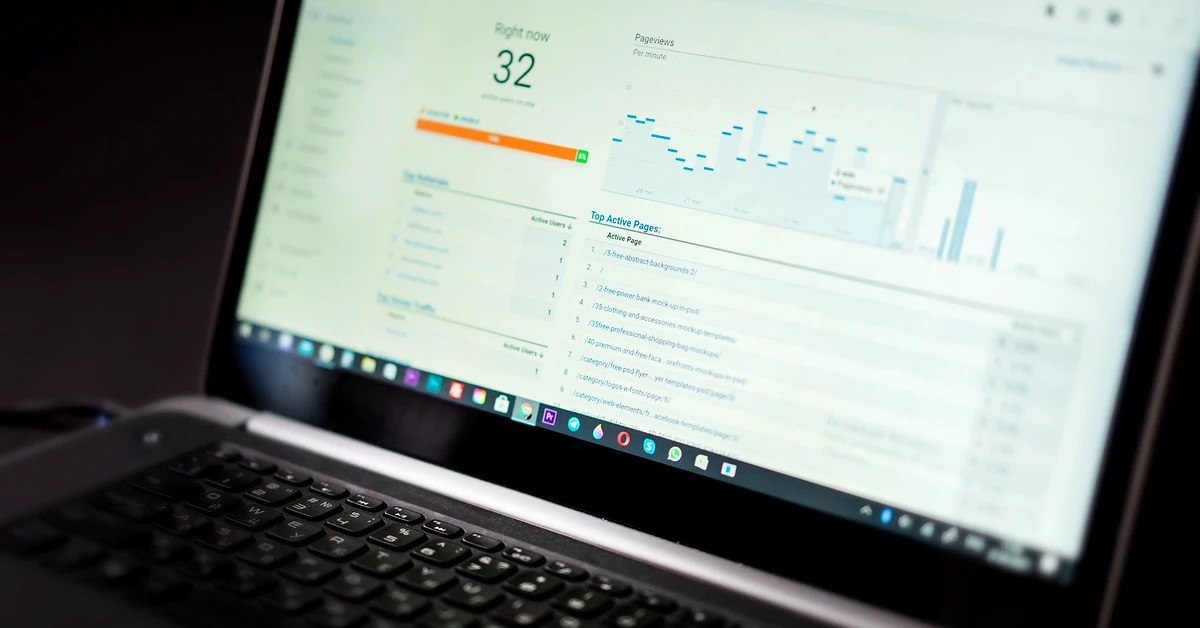
Which website actions actually matter to an affiliate blogger? Learn how GA4 key events work, what enhanced measurement can detect, and how to distinguish website activity from confirmed leads and affiliate commissions.
A blog can receive hundreds of visits without producing a single email subscriber, meaningful referral, or affiliate commission. That does not necessarily mean the traffic is worthless, but it does mean page views alone cannot tell you whether your business is making progress.
This is where GA4 key events for affiliate blogs become useful. Google Analytics 4 can help you identify important actions people take after arriving at your website, such as requesting a resource, completing a signup process, or clicking a relevant recommendation.
The challenge is deciding which actions deserve special attention. Should every page view count as a success? What about a visitor who scrolls to the bottom of an article? Is clicking an affiliate link equivalent to making a purchase?
Those actions represent different levels of interest. Treating them as interchangeable can produce misleading reports and poor marketing decisions.
In this guide, you’ll learn what GA4 key events are, which interactions affiliate publishers should consider tracking, how to check the relevant settings, and how to distinguish on-site activity from verified business results.
Quick answer: Start by measuring useful activity, then designate only a few genuinely important actions as GA4 key events. For an affiliate education website, these might include a completed permission-based lead submission and a meaningful affiliate-link click, provided both can be measured accurately. Use your email service and affiliate networks to verify the outcomes that occur outside your website.
This article is educational. It does not assume that any particular event is already configured, that your site has generated conversions, or that a tracked interaction guarantees income.
Google Analytics 4 organizes much of its measurement around events. An event represents an interaction or occurrence that Analytics can collect from a website or app.
Examples include loading a page, clicking certain links, submitting forms, or downloading files.
Some events are collected automatically when Google Analytics is configured properly. Others depend on enhanced measurement, additional setup, or custom implementation.
A key event is an event you identify as especially important to the success of your business.
For example, a publisher may receive hundreds of ordinary page views but care particularly about how many visitors successfully request a free educational report.
That completed request may be worth measuring as a key event because it represents a meaningful step in the relationship between the website and the visitor.
Google explains the distinction in its official About Key Events documentation.
These terms are related, but they are not interchangeable.
| Measurement | What It Means | Affiliate Blog Example |
|---|---|---|
| GA4 event | An interaction collected by Analytics | A page view, file-download click, or outbound click |
| GA4 key event | A collected event identified as important to business success | A verified lead-generation action or other meaningful interaction |
| Google Ads conversion | A conversion action used for Google Ads measurement and optimization | A permitted, configured action associated with an advertising campaign |
| Affiliate commission | Compensation recorded under an affiliate program’s terms | An approved and payable commission reported by the vendor or network |
A GA4 key event does not automatically establish that a visitor purchased something. Nor does it mean the publisher earned a commission.
If you are operating an organic-first affiliate website, you can use key events to understand meaningful activity without confusing those events with financial outcomes.
Affiliate websites often have longer and less direct customer journeys than traditional online stores.
Someone might discover a blog article through Google Search, follow a link to a second tutorial, download a checklist, subscribe to a newsletter, and eventually visit a vendor’s website.
The final purchase, if any, may take place on a website the affiliate publisher does not own.
That creates an important measurement limitation: your own GA4 property generally measures interactions on your website and on other destinations you are authorized and technically able to track.
It does not automatically receive complete purchase and commission records from every external affiliate vendor.
GA4 key events can help answer useful intermediate questions:
These insights can help an affiliate publisher make better editorial and distribution decisions, provided the events represent real actions.
There is no universal list that every affiliate website must mark as key events.
The best selection depends on the site’s actual goals, available tracking capabilities, and the experience visitors are being offered.
For a beginner-oriented affiliate education website, it helps to separate ordinary engagement from meaningful next steps and verified financial outcomes.
| Interaction | GA4 Measurement Approach | Suggested Priority |
|---|---|---|
| Article view | page_view |
Routine reporting, not generally a key event |
| Deep page scroll | scroll through enhanced measurement |
Supporting engagement signal |
| External link click | click with outbound-link information |
Useful activity metric; evaluate whether specific clicks deserve key-event status |
| Internal affiliate redirect click | Purpose-built event, if accurately implemented | Potential key event |
| PDF or resource link click | file_download where supported |
Useful content-interest signal |
| Successful lead submission | generate_lead when accurately configured |
Strong key-event candidate |
| Confirmed email subscription | Verified provider record, with optional supported Analytics integration | Important business outcome |
| Approved affiliate commission | Affiliate network or vendor reporting | Primary financial evidence |
Notice that the table does not recommend making every interaction a key event.
An event is worth highlighting when it represents a clearly defined action that matters to your actual business objectives.
The page_view event helps indicate when visitors view pages on your website.
That can help you identify which articles attract interest and which resources receive relatively little traffic.
For example, you could compare visits to a beginner’s traffic-source guide against visits to an email marketing comparison.
However, a page view does not prove that someone carefully read the article, subscribed to your newsletter, clicked a recommendation, or purchased an affiliate product.
Recommendation: Keep page views as a routine reporting metric. Avoid marking every page view as a key event simply to create a larger success count.
Instead, use page views as the starting point for examining what visitors do next.
GA4’s enhanced measurement feature can collect a scroll event when a visitor first reaches approximately 90% of a webpage’s vertical depth.
This provides a limited indication that someone moved far down a page.
But reaching the bottom does not necessarily mean they understood the article, agreed with a recommendation, or found the content valuable.
Someone can scroll quickly without reading. Another visitor may find the answer they need in the first paragraph and never reach the bottom.
For these reasons, the 90% scroll event is usually better treated as a supporting engagement signal rather than a primary business goal.
Practical use: Compare deep scrolling with other interactions, such as useful resource clicks, instead of treating scrolling by itself as proof of success.
An outbound click occurs when someone follows a link from your website to another domain.
For example, a visitor might read a tutorial on your blog and follow a link to Google’s official analytics documentation.
With the appropriate enhanced measurement settings enabled, GA4 can collect an event named click and provide details about the destination.
Google’s outbound-click measurement tutorial explains how these events work and how to examine link destinations.
An educational article may link to several kinds of external destinations:
GA4’s general outbound-click event does not automatically distinguish between all those business purposes.
For example, a visitor clicking a Google Search Central documentation link is not equivalent to a visitor selecting an affiliate recommendation.
You may therefore need additional classification if you want a specific count of compensated recommendation clicks.
Recommendation: First confirm that outbound measurement is collecting events correctly. Then decide whether a more specific event would answer an important business question.
Many WordPress affiliate publishers use branded links that redirect visitors to outside offers.
For example, a publisher might use a branded link such as:
https://example.com/go/email-platform
The visitor initially clicks a URL on the publisher’s own domain. That address then redirects to an external destination.
This creates an important tracking distinction.
GA4’s automatic outbound-click detection generally looks for links that lead away from the current domain.
When the original clickable link points to a same-domain redirect, it may not qualify as an outbound click at that moment.
As a result, do not assume that GA4 automatically counts all branded affiliate-link clicks as outbound events.
If your site uses branded Pretty Links routes, begin by inspecting what is already being collected.
One possible custom event name is affiliate_link_click. This is an illustrative custom event name, not a claim that it is automatically provided by GA4 or already installed on your website.
A tracking implementation might use Google Tag Manager or another compatible integration to detect clicks on links that match a verified branded-link pattern.
For example, a configuration might identify a click when the link URL contains the site’s approved /go/ path.
However, that approach requires careful testing. Not every redirect path necessarily represents a compensated recommendation, and fast navigation can interfere with poorly implemented click tracking.
If your WordPress plugin already records useful affiliate-link activity, avoid adding duplicate events without a clear reason.
Important: An affiliate-link click is an expression of interest. It is not a completed vendor registration, sale, approved commission, or payment.
An affiliate education website may provide PDF checklists, worksheets, reference guides, and other downloadable materials.
These resources can offer a useful way to understand whether visitors take a practical next step after reading an article.
GA4 enhanced measurement supports a file_download event when someone clicks a link to certain recognized file types, including PDFs.
For example, a beginner might read an article about selecting an organic traffic source and click a link to a related PDF checklist.
If the file link and Analytics configuration are supported, the click may generate a file-download event.
Be precise about what the event measures.
The event generally reflects a detected click on a qualifying file link. It does not establish that the file downloaded successfully, that the visitor opened it, or that they completed the worksheet.
Even so, the event can provide useful information about which resources people choose to access.
For a small affiliate blog, tracking meaningful resource interest may be more helpful than installing complicated engagement systems without a specific purpose.
Before marking resource downloads as key events, consider whether downloading the resource genuinely represents a major goal or is simply a supporting educational interaction.

For affiliate publishers developing permission-based email relationships, a successful signup can be more meaningful than an ordinary page view.
But accurately measuring email signups requires understanding the difference between a form interaction, an accepted submission, and a confirmed subscription.
GA4 enhanced measurement can collect a form_start event when a visitor begins interacting with a detectable form.
This indicates that the visitor started the process.
It does not establish that they submitted the form or joined a mailing list.
GA4 may collect form_submit events for supported forms.
However, automated form detection must be verified against the actual form and integration used by the site.
Some forms use JavaScript, embedded services, or other behavior that does not correspond neatly to a successful subscription.
In addition, a submitted form can contain an invalid address, produce an error, or require an additional confirmation step.
Therefore, do not automatically equate a generic form_submit event with a verified email subscriber.
Google recommends the generate_lead event for relevant lead-generation interactions.
A carefully configured implementation may use that event to represent successful completion of a specific lead form.
Google’s recommended event documentation describes the intended use of this event.
The key word is successful. If you use this event, confirm that its trigger represents the intended action rather than merely a visitor opening or attempting to submit the form.
If your email system uses double opt-in, a person may need to click a confirmation link before becoming an active subscriber.
In that situation, the initial form submission and the completed confirmation are not equivalent outcomes.
AWeber or another email service may provide the authoritative subscriber status, depending on the system you use.
Do not claim a confirmed subscriber merely because GA4 recorded a visit to a thank-you page.
For more information, read our AWeber Single Opt-In vs Double Opt-In guide.
Before changing any settings, confirm that Google Analytics is already collecting the appropriate website data.
If the site’s GA4 installation is missing, duplicated, or collecting from the wrong domain, marking events as important will not solve the underlying problem.
A test visit is useful for confirming technical collection, but it should not be counted as genuine audience interest.
In GA4, navigate to the relevant Admin settings and open the website’s data stream.
Find the Enhanced measurement controls and review which supported interactions are enabled.
Depending on the settings, enhanced measurement can detect events such as:
Availability and behavior depend on the actual implementation.
For the official configuration details, see Enhanced Measurement Events.
Before creating anything, write down the action you want to count.
For example:
Goal: Count successful requests for a free educational report.
Potential measurement: A verified lead-generation event triggered only after the relevant request is accepted successfully.
Independent validation: Check the corresponding email service or form records where appropriate.
This is more precise than saying, “I want to count everyone who visits the signup page.”
Google Analytics allows appropriately authorized users to create events based on existing events, including certain no-code configurations.
For example, Google documents creating a lead event from a unique confirmation-page visit.
However, that approach should only be used when the confirmation page genuinely represents a successful action.
If the same thank-you page can be revisited, indexed, or loaded without completing the intended form, the event may overcount results.
Likewise, a generic page-view condition should not be treated as proof of a confirmed mailing-list subscription.
If you use an existing WordPress integration or Google Tag Manager, first determine whether it already sends the event you need.
Avoid introducing a second implementation that records the same action twice.
See Google’s tutorial for setting up a key event.
Once you have identified an event that accurately represents an important action, open the GA4 Admin area.
Under the appropriate Events settings, find the existing event or create the intended event using the interface available to your account.
Then use the key-event control to designate it as important.
Google documents the current process in Mark Events as Key Events.
You need suitable property permissions to make these changes. The precise menu labels and options can evolve, so follow the current interface rather than an outdated screenshot from a third-party tutorial.
Perform the specific action using a legitimate test setup.
For an affiliate-link click, verify that the intended event actually fires when the selected link is used.
For a downloadable resource, verify the correct file link is detected.
For an email signup, use an address you control and check the real subscription behavior.
Inspect the Realtime report or DebugView, as appropriate, to determine whether the expected event was collected.
Then verify that the event is not firing for unrelated actions.
Google’s recommended event documentation explains how Realtime and DebugView can help validate collection.
Once the configuration is verified, allow time for ordinary GA4 reports to populate.
Realtime data is useful for immediate checks. Standard reports may take longer, and newly designated key events do not automatically rewrite historical reporting.
Use an appropriate date range and compare the results with other evidence before drawing conclusions.
Imagine a WordPress publisher shares a helpful article about choosing a first organic traffic source.
The visitor journey might look like this:
Organic social post → WordPress article → Resource download → Optional email signup → Affiliate recommendation
Different systems may provide evidence for each stage.
| Journey Stage | Possible Evidence | What It Does Not Prove |
|---|---|---|
| Social exposure | Native social platform insights | A completed website visit |
| Website visit | GA4 page and session activity | A lead or purchase |
| Resource click | GA4 file-download event when supported | That the entire resource was read |
| Lead submission | Successfully configured GA4 lead event | That an address was confirmed when confirmation is required |
| Email subscription | Verified email provider records | An affiliate sale |
| Affiliate recommendation click | Validated link tracking or relevant GA4 custom event | A vendor purchase or commission |
| Approved affiliate earnings | Vendor or affiliate network records | Net business profit after expenses |
This is an illustrative journey, not a report of actual website results.
The purpose is to understand what each metric can tell you and avoid overstating what Analytics has measured.
Not automatically.
When an affiliate buyer completes a transaction on an independent vendor website, your GA4 property generally cannot see that transaction simply because a visitor previously clicked your referral link.
Some affiliate programs may support authorized integrations, postbacks, or other mechanisms that communicate verified outcomes.
But those capabilities must be confirmed for the specific program and implemented correctly.
Do not fabricate a GA4 purchase event or assign a guessed monetary value simply because you observed an affiliate click.
For actual financial reporting, the affiliate network or vendor ledger remains essential.
Commission statuses can include pending, approved, reversed, refunded, and paid. These statuses should not be collapsed into a single number labeled earned income.
Similarly, an approved commission is not automatically the same as money deposited into your bank account, and gross commissions are not net business profit.
For a new or developing website, beginning with two or three accurately measured business actions can be more useful than marking every available event as a key event.
For example, a simple plan might prioritize:
The precise selection should depend on the site’s goals and what can be measured reliably.
A large list of poorly configured events makes reporting harder to interpret.
Start with the smallest useful set, confirm accuracy, and expand only when a new measurement answers an important question.
Google also applies limits on how many events can be marked as key events, so indiscriminate configuration is unnecessary.
UTM parameters and key events answer different questions.
UTM parameters help identify the source, medium, and campaign associated with incoming visits.
Key events help highlight important actions visitors take after arriving.
For example, a properly tagged Pinterest campaign may help show where a measured website session originated. If a visitor subsequently completes an accurately configured lead event, GA4 can help associate that activity with acquisition information.
However, attribution is not the same as proof that one social post caused a later vendor purchase.
Analytics attribution depends on its collection methods, reporting models, consent conditions, and available information.
For a step-by-step introduction to incoming campaign tracking, read UTM Parameters for Social Media: Track Blog Traffic in GA4.
Important: Do not indiscriminately add UTM parameters to links between pages of your own WordPress website. Use normal internal navigation and appropriate event measurement rather than making internal clicks look like external acquisition campaigns.
Tracking website interactions also creates privacy responsibilities.
Google Analytics has policies about personally identifiable information and requires website operators to follow its applicable terms and relevant laws.
Do not intentionally send raw email addresses, names, phone numbers, or other prohibited personal information into GA4 event parameters.
Pay particular attention to form destinations and URL parameters, because a website can accidentally place personal information in addresses that analytics tools collect.
When adding event tracking:
Better measurement should make your marketing decisions clearer without unnecessarily collecting sensitive visitor information.

This can inflate the apparent number of important actions without telling you whether visitors completed meaningful steps.
Use ordinary page-view reporting for broad content activity.
External documentation links and compensated recommendations serve different purposes.
Use appropriate distinctions when the business question specifically concerns affiliate recommendations.
A same-domain affiliate redirect may not be counted by automatic outbound-click detection.
Check the actual clickable URL and test your tracking rather than assuming every redirect is handled automatically.
A form interaction, accepted submission, and confirmed mailing-list subscription are not identical.
Use the correct measurement and consult the email provider’s subscriber records.
A page-view-based event can overcount if visitors can reach or reload the page without completing the intended action.
Ensure the event trigger represents a genuine completed step.
WordPress sites may use analytics plugins, Google Tag Manager, theme integrations, or other tracking methods.
Adding another GA4 installation without auditing the existing setup can create duplicated events and misleading numbers.
A visitor clicking a vendor recommendation does not mean the publisher earned money.
Use approved commission records, refund information, and actual payment data for financial conclusions.
You do not need to review every Analytics report every day.
A focused weekly process can help you make decisions without becoming overwhelmed by metrics.
Check website traffic and engagement data for the period.
Look for articles whose topics appear to attract relevant readers rather than judging quality solely by the number of visits.
Examine correctly configured events for file-download clicks, meaningful resource interactions, or completed form actions.
Remember that an event can provide evidence of a particular interaction without proving every later outcome.
Look at the few business actions you intentionally designated as key events.
If the counts seem unexpectedly high or low, verify the configuration before drawing conclusions.
Compare relevant lead and signup activity with actual provider records.
Check whether a subscription was accepted and, when confirmation is required, whether that process was completed.
Review actual referral and commission information provided by the appropriate vendor or affiliate network.
Separate clicks, registrations, pending transactions, approved commissions, reversals, and payments.
Choose one practical improvement rather than changing your entire website based on a small amount of data.
For example:
The purpose of measurement is to inform useful improvements, not merely generate larger dashboards.
Before configuring a new event, answer these questions.
| Question | What to Record |
|---|---|
| What is the business goal? | Describe the meaningful outcome in plain English. |
| What action represents that goal? | Identify the exact visitor interaction. |
| Is the event already collected? | Inspect existing GA4 events and plugin records. |
| Does the event represent success? | Confirm it does not fire for unrelated or failed interactions. |
| Is it important enough to be a key event? | Explain why it matters to the business. |
| Can it be independently verified? | Identify relevant form, provider, link, or vendor records. |
| Does it collect unnecessary personal information? | Review privacy and consent considerations. |
| How will the result affect a decision? | Describe what you would improve based on reliable findings. |
If you cannot identify a business decision the event would support, you probably do not need to mark it as a key event yet.
A GA4 key event is an event identified as especially important to business success. It allows publishers to focus reporting on meaningful actions instead of treating all interactions equally.
Google distinguishes GA4 key events from conversion actions used in Google Ads. The terminology and reporting relationship are explained in Google’s official Analytics documentation. An affiliate vendor’s approved commission is a separate financial outcome.
Not every outbound click. A link to official documentation is different from a compensated recommendation. If affiliate-link clicks are an important goal, consider accurately identifying those interactions before deciding whether to designate the event as a key event.
GA4 may collect some interactions involving links, but automatic outbound-click detection should not be assumed to identify same-domain branded redirects as external clicks. Verify the actual behavior and consider additional tracking only when necessary.
Enhanced measurement can collect file-download events for clicks on supported file types, including PDFs. The event does not automatically prove that the file was opened or read successfully.
Not automatically. AWeber’s subscriber records are important for verifying accepted and confirmed subscriptions. GA4 can measure appropriately configured website interactions, but generic form events should not be treated as authoritative subscriber-status records.
Not automatically for transactions completed on external vendor websites. Reliable financial reporting requires the appropriate affiliate program records or a verified, authorized integration.
Begin with a small number of clearly defined, reliably collected actions that matter to your actual business goals. Expand only when additional events provide useful information.
Not for every GA4 event. Enhanced measurement supports several interactions without additional code. Google Tag Manager or another suitable method may be useful for more specific tracking, such as certain branded affiliate-link clicks. Avoid adding new tools without first reviewing the existing configuration.
No. Track interactions that answer relevant questions. Excessive button-click tracking can create large amounts of data without producing meaningful insight.
For an affiliate education website, GA4 key events can help separate ordinary traffic from meaningful visitor actions.
Page views and scrolling provide useful context. Resource clicks and accurately measured lead submissions may reveal deeper interest. Affiliate recommendation clicks can show that visitors are considering a next step.
But none of those events automatically establishes a completed vendor purchase, approved commission, or profitable business.
The strongest measurement approach combines accurate website events with independently verified email subscription records and affiliate network reporting.
Start with one important question: What action would demonstrate that a visitor received enough value to take a meaningful next step?
Identify that action, measure it accurately, and use the result to improve your content and visitor experience.
For more on the traffic side of this process, read our guide to UTM Parameters for Social Media in GA4 and our practical article about choosing your first organic traffic source.
Subscribe to get the latest posts sent to your email.
If you found this guide helpful, please tap the Like button and share it with someone who could benefit. Every Like and Share helps more people discover Partner to Wealth.