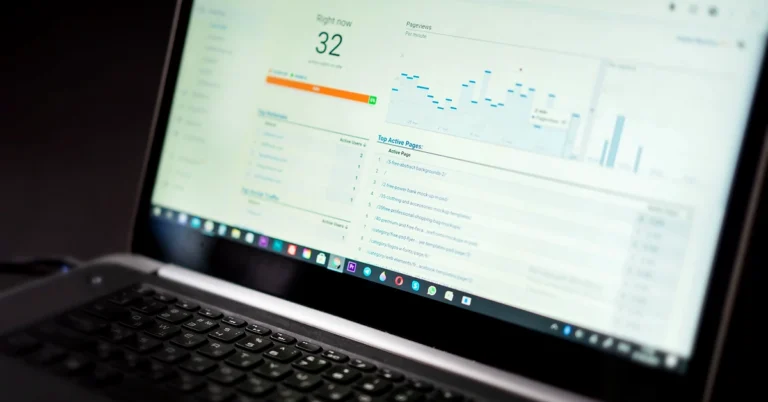
Learn how to tag organic social links for WordPress, understand GA4 traffic reports, and distinguish website visits from opt-ins and affiliate commissions.
UTM parameters for social media can help a WordPress publisher answer a practical question: when someone clicks a Facebook post, LinkedIn update, Pinterest Pin, or Instagram Story link, can we tell which campaign brought that visitor to our website? Without a consistent system, a creator may publish useful content every day and still struggle to connect individual distribution efforts to meaningful site activity.
UTM tracking does not generate visitors, make a social post more persuasive, or guarantee affiliate commissions. Its job is narrower and more valuable: label incoming links so an analytics tool can distinguish sources and campaigns when a visitor arrives. That gives you a better basis for deciding what content to repeat, improve, or stop.
This guide explains a beginner-friendly organic social tracking system using real WordPress article URLs, manual campaign parameters, and Google Analytics 4 (GA4). You’ll also learn what these numbers cannot prove, how to avoid messy reports, and why a vendor registration, a PTW-owned email subscription, and a paid affiliate commission are three different outcomes.
Quick answer: Add consistent utm_source, utm_medium, and utm_campaign values to a link that points to your own article or landing page. Add utm_content only when you need to distinguish specific placements. Publish the tagged URL where the platform supports a clickable link, then review session-level acquisition data in GA4. Do not treat link clicks as verified subscribers or sales.
Best for: WordPress bloggers, organic social publishers, affiliate educators, and small teams that already post regularly and need clearer attribution without buying another tool.
UTM parameters are short labels added to the end of a destination URL. The term stands for Urchin Tracking Module, a historical name that remains widely used in web analytics. A tagged link still opens the same article, but it carries extra information about where the link was shared.
For example, the ordinary link to an article might be:
https://partnertowealth.com/repurpose-blog-posts-for-social-media/
A campaign-tagged version for an illustrative organic Facebook post could be:
https://partnertowealth.com/repurpose-blog-posts-for-social-media/?utm_source=facebook&utm_medium=social&utm_campaign=repurpose_guide
Both URLs point to the same public article. The second one adds three labels that analytics software can read when the visit is measured. It does not create a separate article or a new campaign inside Facebook, and it does not automatically track everything the visitor later does.
Google’s official campaign URL documentation recommends using consistent source, medium, and campaign information when you manually tag links. The values are case-sensitive: facebook and Facebook can appear as different values in reporting. Choose a standard and stick with it.
You do not need every possible UTM parameter for a small organic campaign. Start with three required working labels, then use a fourth when it answers a specific question.
| Parameter | What it identifies | Example |
|---|---|---|
utm_source |
Where the visitor came from | pinterest |
utm_medium |
What type of channel or distribution method | social |
utm_campaign |
Which editorial initiative or content push | repurpose_guide |
utm_content |
Which creative, position, or format inside that initiative | story_frame2 |
The values in this article are examples, not proof that these campaigns have already been published or recorded in a real analytics property. No particular spelling is magic; consistency matters. For a publisher that already uses utm_medium=social in Pinterest automation, keeping that convention can be more useful than inventing a competing label.
Two optional fields deserve a mention. utm_term is commonly used for keyword or term information, but most organic social posts do not need it. utm_id can identify a campaign across systems, although a beginner with a small number of posts can usually start with a meaningful campaign name. Don’t collect parameters merely because a tool provides empty boxes for them.
Before adding any tags, decide where the reader should land. If your Instagram Story promises beginner instructions for attaching links to Stories, send people to a guide about that topic—not a loosely related affiliate sales page. If a Pinterest graphic explains Rich Pins, point it to the actual Rich Pins tutorial. A tagged link is useful only when the destination helps the visitor.
For an example, imagine sharing Pinterest Rich Pins for WordPress through an original Pinterest how-to graphic. The link target is the article, not the homepage. A clear description could say what readers will learn about metadata, verification, and troubleshooting before inviting them to open the guide.
Another appropriate example is an educational post about scheduling useful content. It can send readers to Repurpose Blog Posts for Social Media Without Overposting. That post teaches practical distribution decisions. It would be less helpful to direct the same audience immediately to a training program that the update never introduced.
The destination-first principle also keeps campaign analysis fair. When a reader receives exactly what a link promised, you can interpret their subsequent activity more confidently than when the landing page is a surprise.
Start from a full, working URL on a website you own or manage. For a URL with no existing query string, add a question mark after the destination, followed by the first name-value pair. Separate additional parameter pairs with an ampersand. For example:
https://partnertowealth.com/repurpose-blog-posts-for-social-media/?utm_source=linkedin&utm_medium=social&utm_campaign=repurpose_guide&utm_content=professional_tip
If the destination already contains a question mark and another query parameter, add new parameters using & rather than introducing a second question mark. Do not edit or remove required parameters from an existing application link unless you know exactly what they do. If the address has a fragment such as #checklist, campaign parameters belong in the URL query before the fragment.
In a WordPress HTML editor, an ampersand inside an HTML link attribute is normally encoded as & in source markup. That is HTML escaping, not a second set of campaign parameters. A browser renders the address appropriately. When copying a complete URL into a native social scheduling field, use the ordinary URL with ampersands rather than pasting an HTML entity sequence.
You can build links manually or use Google’s Campaign URL Builder. A URL builder helps with formatting, but it does not automatically verify that the link opens the right destination, that GA4 is installed correctly, or that an external social platform will make the URL clickable.
One of the fastest ways to make analytics reports confusing is to change names every week. If one post uses fb, another uses facebook, and a third uses Facebook_Page, GA4 may separate them into multiple reported sources. The same problem occurs when the identical editorial effort is alternately called november_promo, NovPromo, and campaign_1.
A simple organic publisher’s convention might look like this:
| Channel | Source value | Medium | Useful content label |
|---|---|---|---|
| Facebook Page | facebook |
social |
page_post |
| LinkedIn profile | linkedin |
social |
profile_tip |
pinterest |
social |
howto_pin |
|
| Instagram Story | instagram |
social |
story_frame2 |
Use a consistent lowercase style for utm_source, utm_medium, and utm_campaign; a short underscore or hyphen naming convention can help. If you already operate a tracking convention, document what exists before changing it. Historical links may not match your newest standard, and that does not mean older data is worthless.
When your WordPress site publishes three articles per day and a separate social lesson, you may have overlapping content streams. Give each stream an editorial role. An automatic new-article announcement and a separately designed educational campaign do not need to share the same utm_campaign merely because both appeared on Tuesday.
Tracking parameters work only when a visitor can use the actual tagged URL. A Facebook Page link post can carry a website URL. LinkedIn posts can contain links, although the format and preview should be reviewed in the native composer. Pinterest Pins have destination-link fields; the Pin should link to the exact useful page, and you should verify any existing automation before creating another Pin. An Instagram Story can use a native link sticker. An Instagram Feed caption does not automatically make a pasted website address clickable in the same way.
For Instagram, review the existing Instagram Story link sticker guide and confirm the sticker works after publication. Tracking may help identify visits coming from that specific Story link; it will not establish that everyone who saw the Story clicked.
For automated WordPress announcements, Jetpack Social allows publishers to review social-sharing destinations and customize messages where supported. Those announcements may already be in the daily publishing workflow. Review the existing queued and automatic posts before adding a separate UTM-tagged post. The goal is not to create duplicate distribution simply to test a link.
For Pinterest article Pins, check whether the scheduler is already adding campaign tags. If it is, do not manually append a second utm_campaign to the same destination or duplicate a draft that is awaiting approval. The visual and the link should still tell a consistent story.
Before a tagged link goes public, test it in a normal browser. Confirm the correct article loads, images and content display properly on mobile, and the link has not become malformed through copying or a redirect. If an existing scheduler adds tracking automatically, inspect the outgoing destination rather than assuming your manual URL remains intact.
A practical preflight is short:
Do not test links by buying an affiliate product or entering someone else’s information. Testing that a page opens is different from validating vendor checkout attribution. If the goal is to test a permission-based email form, use a legitimate test address you control and verify the promised messages without creating misleading lead records.

Once Google Analytics 4 is collecting data on your website, open the relevant property and navigate to Reports → Acquisition → Traffic acquisition. If the report is not visible, reporting navigation or access permissions may differ. Google’s Traffic acquisition report documentation describes where the report appears and how its session-based dimensions work.
Use a session-oriented dimension such as Session source / medium to see where sessions originated, or Session campaign to review an editorial campaign. If available in your property, the dedicated Manual campaigns report can show more detail from manually tagged links, including source, medium, campaign, and manual ad content. You may need the correct reporting permissions to see or add certain reports.
Choose a date range that includes the publication date and allow time for standard analytics processing. A fresh campaign may not appear immediately in ordinary reports. Use Realtime for a short technical check when appropriate, but don’t confuse a successful test click with a genuine audience response.
Important distinction: Search Console reports search appearance, impressions, and clicks from Google Search. GA4 traffic acquisition measures activity on your site after analytics collection. A Pinterest Pin’s in-app outbound-click number may differ from GA4 sessions because the platforms count different things. These tools answer related but different questions.
When evaluating UTM parameters for social media, begin by asking whether GA4 received sessions from the intended source and campaign. Only after that should you compare engagement, on-site next steps, or correctly configured key events. If a tracking label appears but no meaningful behavior follows, that is a signal to investigate—not proof that the social platform is useless.
An organic affiliate publisher often needs a simple reporting ladder. Each stage has a different source of evidence and a different meaning:
| Stage | Evidence to consult | What it does not prove |
|---|---|---|
| Social exposure or link click | Platform insights | A measured website session or sale |
| Website session | GA4 session reporting | A voluntary email subscription |
| PTW-owned opt-in | Appropriate email platform and form records | Vendor membership or paid commission |
| Vendor registration or referral | Vendor dashboard and attribution records | Approved or deposited earnings |
| Paid commission | Affiliate ledger, payment records and refunds | Net profit before operating costs |
For example, an article might attract a measurable session from Pinterest without persuading that reader to subscribe. That is not a tracking failure. Conversely, a person may register directly on a vendor’s website through a referral link without joining the publisher’s own email list. Do not treat those records as interchangeable.
Google uses the term key event for an important tracked on-site interaction. A successfully configured generate_lead event could help measure a form submission, but a page view or click by itself is not a verified lead. Confirm the event fires only under the intended conditions and reconcile important outcomes with the email platform when possible. See Google’s recommended event documentation.
Lowercase, consistent values make reports easier to group. Do not alternate between linkedin, LinkedIn, and li_profile for the same source unless you intentionally want different categories and have documented them.
An unpaid social post is not a paid advertisement. Avoid labeling unpaid Facebook traffic with paid-ad campaign names or a cpc medium. Use a clear organic convention and check how GA4 classifies the resulting channel; Google’s default channel groups use specific rules that can change with source and medium combinations.
UTM parameters are primarily designed to label incoming campaign traffic. Adding UTMs indiscriminately to internal navigation or article links can interfere with the interpretation of session attribution. For internal content journeys, use appropriate on-site events and ordinary internal links rather than pretending each internal click is a new external campaign.
A long tagged URL pasted into an ordinary Instagram Feed caption is not equivalent to a native Story link sticker or working profile destination. Check the exact feature visitors will use before assigning a campaign URL to it.
A vendor or affiliate network may rely on its own parameters, redirects, cookies, or attribution rules. Do not append or replace query parameters arbitrarily on merchant checkout URLs. Measure the journey on your own site where appropriate and verify vendor attribution separately.
Five visits, one click, or a single day of data cannot establish a reliable traffic pattern. Record the numbers honestly, but avoid dramatic conclusions. Compare similar topics over a reasonable window and consider whether the audience size is large enough to support any recommendation.
A WordPress social automation and an independent Pinterest scheduler may already produce shares. Creating another tagged version could duplicate distribution and confuse your reporting. Document existing automation before replacing it or adding extra posts.
You do not need a subscription analytics dashboard to begin. A spreadsheet or a small editorial log can capture the context behind your tagged links. Start with columns for publication date, platform, article URL, campaign, content label, actual publication status, tracked sessions, one meaningful interaction, and notes.
Here’s a fictional illustration of how to log the work without inventing performance results:
| Date | Channel | Campaign | Creative | Result |
|---|---|---|---|---|
| Example day | repurpose_guide |
howto_pin |
Not measured yet | |
| Example day | repurpose_guide |
professional_tip |
Not measured yet |
Once a week, review the report for one question: Which source and topic combination drew people who actually used the promised resource? If one link had plenty of apparent social clicks but almost no tracked website sessions, verify the destination and analytics setup before blaming the content. If people reached the article but no one chose a next step, check message match and reader usefulness before increasing the posting frequency.

Tracking is most helpful when it supports restraint. If a WordPress article is already being shared automatically on several accounts and you have a separate daily educational social campaign, you don’t need yet another post solely to obtain another tracking row. A better experiment may be choosing a more appropriate destination on the next available posting slot or adapting one previously repetitive message into a concrete helpful tip.
Our related content repurposing guide explains how to identify distinct content angles without overwhelming an audience. Combined with a consistent campaign log, it gives beginners a manageable improvement loop: write something useful, distribute it selectively, check where interested visitors arrive, and adjust one factor at a time.
That approach is also appropriate for affiliate education. A beginner interested in ClickBank Profit Club resources may need an independent explanation before considering vendor registration. A visitor asking about testing an affiliate funnel may want a checklist first. Tracking labels can help us learn which messages lead to these educational resources, but they are not a substitute for informed consent, transparent cost information, or vendor-confirmed compensation.
No. UTM parameters are campaign labels, not a ranking shortcut. They are useful for analyzing referral paths; helpful content, relevant search intent, accessible pages, and sound technical practices are separate concerns.
The URLs can still open normally. But if GA4 or another compatible analytics system is not correctly collecting site traffic, you will not automatically obtain useful campaign reports from adding parameters alone. Verify that your measurement setup is operational.
Not automatically. Tag external-to-your-site campaign links when you have a clear reason to analyze them and your tools support the destination. Avoid duplicate campaign tags, unnecessary internal UTMs, and unapproved changes to affiliate checkout URLs.
Yes, when both posts belong to the same editorial initiative. Keep the source values distinct and use utm_content if you need to compare individual formats. The campaign should represent a meaningful grouping, not simply every link published that month.
They measure different things. Platforms can count clicks on their own interfaces, while GA4 reports sessions only under its collection conditions. Network behavior, app browsers, consent choices, redirects, blocking, processing time, and repeat activity can create differences.
No. A website session is only evidence of a measured visit. Affiliate events, approved commissions, refunds, and paid receipts need corroboration from the appropriate network or vendor reporting.
Choose one existing useful article and one genuinely appropriate future social placement. Tag that destination with a consistent source, medium, and campaign; confirm the link works; and review your GA4 session reports after the content has been published and measured. Build from an actual result rather than launching a complicated new reporting system.
utm_source, utm_medium, and utm_campaign labels.utm_content only when distinguishing specific formats or placements helps.Bottom line: UTM parameters for social media can make an organic publishing routine easier to understand, provided the links are useful, naming stays consistent, and the data is interpreted carefully. Start with one well-matched link and a simple report. Measure actual reader behavior before increasing distribution.
To continue improving your publishing workflow, read Repurpose Blog Posts for Social Media Without Overposting and the Affiliate Funnel Testing Checklist.
Editorial note: This is a general educational guide. It includes links to Partner to Wealth articles and to official analytics documentation; it contains no direct compensated product checkout link. Some related resource pages may include clearly disclosed affiliate recommendations. No campaign results, commissions, or analytics measurements in the examples above are presented as actual outcomes.
Subscribe to get the latest posts sent to your email.
If you found this guide helpful, please tap the Like button and share it with someone who could benefit. Every Like and Share helps more people discover Partner to Wealth.