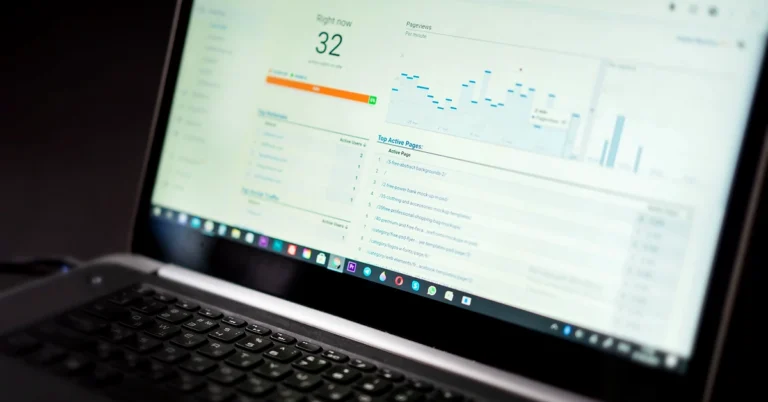
Claiming your website, installing the Pinterest Tag, and enabling Article Rich Pins are different tasks. Learn what each means, how to verify WordPress with Rank Math, and when organic publishers actually need tracking.
Pinterest website claim vs Pinterest tag is an important distinction for bloggers who want to understand their Pinterest traffic without adding unnecessary tracking software. Both features connect Pinterest with a website, but they serve different purposes. Claiming a domain establishes that you control it and helps Pinterest associate Pins saved from that site with your account. The Pinterest tag is separate website tracking code intended to measure selected actions and support conversion reporting and advertising tools.
These terms can become confusing when Pinterest displays a successful Connected message after you claim a website and then suggests installing a tag. It is easy to think the first step is incomplete. In fact, a website claim can be successful even when the Pinterest tag has not been installed. You do not have to buy advertisements or install a conversion tag just to claim your own WordPress domain.
This guide explains how the two features work, how Article Rich Pins differ from both, what a WordPress publisher can verify with existing SEO tools, and which measurements actually help improve an organic content strategy. We’ll also cover what to check before enabling additional automatic Pinterest publishing.
Quick answer: Claim your site when you want Pinterest to recognize your ownership of the domain and associate relevant Pin activity with your business account. Consider the Pinterest tag only when you have a specific need for website-event tracking or conversion measurement, and have addressed privacy and consent obligations. Article Rich Pins are a third feature that uses webpage metadata to display article details.
Best for: WordPress bloggers, Pinterest business accounts, and affiliate educators using organic Pinterest distribution rather than buying ads.
A website claim is an ownership-verification step. Pinterest checks whether you control the website you want to associate with your Pinterest account. This can help connect Pins originating from the claimed domain to your business profile and enable analysis of how people interact with your website’s content on Pinterest.
The Pinterest tag is code installed on a site for tracking visitors and selected actions, such as page visits or signups, under Pinterest’s measurement system. Pinterest describes the tag as a way to evaluate what happens on a site after people see or engage with Pinterest advertising, and to support conversion reporting and related audience features. It has additional implementation and privacy implications.
| Question | Claim your website | Pinterest tag |
|---|---|---|
| Primary purpose | Verify domain ownership and associate site content with a Pinterest account | Track website actions for conversion measurement and related features |
| Typical setup | HTML verification tag, uploaded verification file, DNS record, or an available supported connection | Install Pinterest tracking code or an approved integration and configure events |
| Does it require buying Pinterest ads? | No | The tag can be installed without launching an ad, but Pinterest requires relevant business/advertiser setup and its primary use includes conversion reporting |
| Needed to view ordinary Pin analytics? | Claiming helps include Pins from your domain and related attribution | No, ordinary Pin impressions and outbound clicks are available through business analytics without conversion-tag installation |
| Privacy considerations | Verification proves control of a domain | Site tracking may involve cookies, data collection, consent, and disclosure responsibilities |
These functions are complementary, not interchangeable. A successfully claimed domain does not mean its Pinterest tag is installed, and a tag being present is not proof that a domain has been claimed to the correct account.
Pinterest’s own website claiming instructions and Pinterest tag guidance describe these as separate workflows.
When a Pinterest account claims an eligible domain, Pinterest can associate Pins saved from that site with the account. According to Pinterest’s published help material, claimed website Pins may display the business profile image and give viewers a way to discover the associated Pinterest account. Business-account analytics can also distinguish relevant content that originates from a claimed domain.
For an independent publisher, this helps answer an important question: are people saving or engaging with content connected to my website, including material another Pinterest user saved from it? That is different from assuming those people opened the website, subscribed to a newsletter, or purchased a product.
Claiming also does not guarantee that every Pin from the website will be distributed widely, that the account will rank more highly, or that a particular Pin will receive outbound clicks. It is an ownership and association feature, not an automatic traffic generator.
You generally must control the domain and have access to a suitable verification method, such as editing website metadata or DNS. Pinterest states that a particular website can be claimed by only one Pinterest account at a time. Check that you are using the intended business account before verifying, especially if you manage both personal and business Pinterest profiles.
If the site is hosted on a platform that does not permit necessary code or DNS changes, the options may be limited. A self-hosted WordPress site usually offers more flexibility because its owner can edit appropriate verification settings.
WordPress publishers who already use Rank Math SEO may be able to complete Pinterest domain verification without installing another plugin. Rank Math provides a Pinterest Verification ID field within its existing Webmaster Tools settings.
Rank Math documents this workflow in its Pinterest site verification guide. Alternatively, Pinterest provides methods using an HTML file or a DNS TXT record, which may be more suitable for some websites.
Once your claim is confirmed, there is no reason to install another verification plugin merely to repeat the same process. Also, do not confuse a Pinterest verification meta tag with the Pinterest conversion tag: they serve different purposes.
If verification fails, check the exact domain and protocol, whether you saved your settings, whether the verification code appears in publicly served page metadata, and whether caching is showing an outdated version. If the failure persists, follow the current Pinterest instructions for the selected verification method instead of adding multiple untested copies of the code.

The Pinterest tag is an additional measurement tool. Its base code and related event configuration can send information about selected website activities to Pinterest. Pinterest lists uses such as conversion tracking, campaign performance measurement, and audience-building features. Its event options include page visits, signups, leads, and other types of actions where appropriate.
That can matter when a business has a defined measurement objective. For example, an advertiser may want to understand whether a promoted Pin is associated with a completed signup on a website that the advertiser controls. But the event must be implemented and tested correctly. Simply loading the base tag does not prove that a newsletter signup happened or that the signup belonged to an eligible, consenting subscriber.
Pinterest explains installation methods in its tag installation guide and provides separate instructions for testing the tracking configuration.
Not automatically. If your current objective is to publish useful Pins, see which Pins attract attention, and review how many people click through to your articles, Pinterest business analytics and appropriate on-site analytics may already answer your initial questions.
It can be reasonable to postpone a conversion-tag installation until you have a specific measurement need, understand its data collection behavior, and can test the relevant events. A website claim alone can be completed without deploying Pinterest’s conversion-tracking script.
A tracking tag may process visitor and interaction data, so site operators should review their privacy notices, applicable consent requirements, data-sharing settings, and any automatic enhanced matching features before enabling it. The correct implementation depends on the website, jurisdiction, and actual tracking configuration; it is not something to turn on casually simply because a platform presents an installation button.
Also check whether a tag is already installed through a WordPress plugin, tag manager, or other integration. Installing a second copy can produce duplicate measurement or confusing event reports. Use Pinterest’s testing tools to confirm the actual configuration before drawing conclusions.
Another common source of confusion is Article Rich Pins. Rich Pins use information from the linked webpage to show article details such as a headline, description, or author. Pinterest describes Rich Pins as content that can synchronize selected metadata from the original site. They are neither a website-ownership verification code nor the Pinterest conversion tag.
For WordPress publishers, useful article metadata may already be generated by a properly configured SEO setup. The details depend on the site’s actual metadata and Pinterest’s handling of the destination. If Rich Pin information is missing, check the article metadata and the linked URL rather than assuming the domain claim has failed.
Read our separate guide to Pinterest Rich Pins for WordPress: Setup, Metadata & Troubleshooting for article-specific preparation. Pinterest also explains the supported types in its official Rich Pins documentation.
Remember the three roles:
Claim: “This is my website.”
Rich Pin metadata: “Here is the article information from that page.”
Pinterest tag: “Here are selected website interactions for measurement.”
Pinterest can offer integrations that connect other content sources, including Instagram. Linking an Instagram account is not the same as claiming a WordPress domain, and it does not install the Pinterest conversion tag on that WordPress website.
One operational detail matters for publishers who already use a Pinterest scheduler. Pinterest’s Instagram connection can enable automatic import or publication of Instagram posts as Pins. If you already create separate Pinterest-optimized images and approve article Pins through another workflow, you could unintentionally create duplicates by leaving more than one automatic publishing system enabled.
Before using an Instagram integration, review whether historical posts will be imported, which board receives future posts, and whether auto-publishing is active. You can keep accounts linked while turning off auto-publishing if that is the best fit for your publishing system. See Pinterest’s Instagram linking and auto-publishing documentation.
This is a workflow decision, not a requirement to disable every integration. If you already have a stable, intentional Pinterest publishing process, protect it from accidental duplicate content.
Once your domain is claimed, you can start with the business analytics relevant to your claimed site and manually created Pins. This is useful even if you have not installed the Pinterest conversion tag or purchased advertising.
| Metric | What it tells you | What it cannot prove |
|---|---|---|
| Impressions | How often Pins appeared on screen | That someone read the linked article |
| Saves | How often people saved Pins to boards | That they opened the site or joined an email list |
| Pin clicks | Interactions opening the Pin or its content | A confirmed visit to your external website |
| Outbound clicks | Actions that lead toward a destination outside Pinterest | A completed GA4 session or consented signup |
| Website sessions | Visits measured by your site’s analytics under its collection conditions | A verified affiliate commission |
| Subscriber or vendor record | An outcome confirmed by the relevant email platform or vendor | Net profit without reconciliation |
Pinterest documents these distinctions in Pinterest Analytics. Its business analytics also offers filters for claimed accounts and different sources of Pins, although options and labels can vary over time.
For website sessions, use the analytics actually installed on your site. If you use Google Analytics 4 and appropriate campaign URL labels, you can compare source information with measured site activity. But Pinterest outbound clicks and GA4 sessions are different measurements and should not be expected to match exactly. Our UTM Parameters for Social Media guide explains how to interpret those differences.
If the business goal is an email subscription, verify it through the email provider and consent/confirmation records. If the goal is affiliate revenue, use the vendor or network’s actual referral, refund, approval, and payout records. No single Pinterest click metric establishes a sale or sustainable net income.

You do not need an entirely new Pinterest strategy to use a claimed website effectively. A quick read-only audit can establish whether your current system is coherent before you add another integration or tool.
For an established WordPress publication, the easiest improvement may be making current Pins more useful, reviewing internal links, and ensuring existing social drafts are approved on schedule. Adding a new tag or additional automation will not fix poor destination relevance or a broken link.
Our blog post repurposing guide covers ways to adapt educational articles for multiple channels without overposting or sending identical promotions everywhere.
These are separate actions. A successful domain claim does not require you to add the Pinterest tag immediately. Decide whether conversion tracking would provide useful, appropriately collected information first.
The verification code belongs in a supported website-ownership field or another documented verification location. It does not belong in an arbitrary script or analytics ID field.
Check which business account should be associated with the website. Pinterest’s ownership restrictions can create confusion when a site is claimed by a different account.
Article Rich Pins use webpage metadata. Verify that metadata independently. The claim and the article’s structured or social metadata solve different problems.
Multiple schedulers, imports, and social integrations can create duplicate Pins and muddled tracking. Pinterest explicitly cautions against repetitive duplicate uploads in its content distribution guidance.
Outbound clicks represent a movement toward an external destination, not proof of a website session, active email subscription, vendor registration, or paid commission.
No. Pinterest provides separate domain-verification methods, including an HTML meta tag, HTML file, and DNS TXT record. The conversion tag is a different measurement feature.
No. Website claiming can support an organic Pinterest publishing strategy without requiring paid campaigns. Neither claiming nor creating Pins guarantees traffic.
Yes. Rank Math provides a Pinterest Verification ID field under General Settings → Webmaster Tools. Save the code and complete verification in Pinterest. Follow the actual on-screen instructions if the interface changes.
Pinterest states that successful verification can remain after the HTML verification code or file is removed. However, leaving a properly configured verification tag in place is often simpler than making unnecessary changes to a working WordPress setup. If you are changing verification methods, follow Pinterest’s current instructions.
No. Article Rich Pins rely on suitable information from article pages. Check the specific page’s metadata and the resulting Pin separately.
It reflects an action leading toward a website or other destination outside Pinterest. It is not the same as a GA4 session, confirmed newsletter signup, or affiliate commission.
Yes, Pinterest offers controls for Instagram auto-publishing. Check the current settings and disable auto-publishing if you already use a separate Pinterest workflow that you want to preserve.
Only after defining exactly what you can measure on a website you control and reviewing privacy obligations. A vendor checkout may happen outside your site, so your website tag alone generally cannot confirm the vendor’s approved affiliate commission. Verify commissions in the appropriate vendor or network records instead.
The difference between a Pinterest website claim vs Pinterest tag comes down to ownership and measurement. Claiming your WordPress domain helps connect your original website content to your Pinterest business presence. The Pinterest tag is optional additional tracking infrastructure for defined conversion-measurement needs. Article Rich Pins, meanwhile, use your webpage’s metadata to display article information.
For an organic-first blogger, a sensible sequence is to verify website ownership, publish genuinely useful Pins, confirm the destination URLs, review business analytics and measured website sessions, and only then decide whether further conversion tagging would help answer a real question.
Continue with Pinterest Rich Pins for WordPress, UTM Parameters for Social Media, or How to Choose Your First Organic Traffic Source to connect Pinterest into a broader educational publishing strategy.
Editorial note: This is independent educational guidance, not an official Pinterest endorsement or a guarantee of traffic or income. Pinterest interfaces and tracking requirements can change; consult official documentation for the latest instructions. No direct compensated affiliate checkout link is included in this article.
Subscribe to get the latest posts sent to your email.
If you found this guide helpful, please tap the Like button and share it with someone who could benefit. Every Like and Share helps more people discover Partner to Wealth.