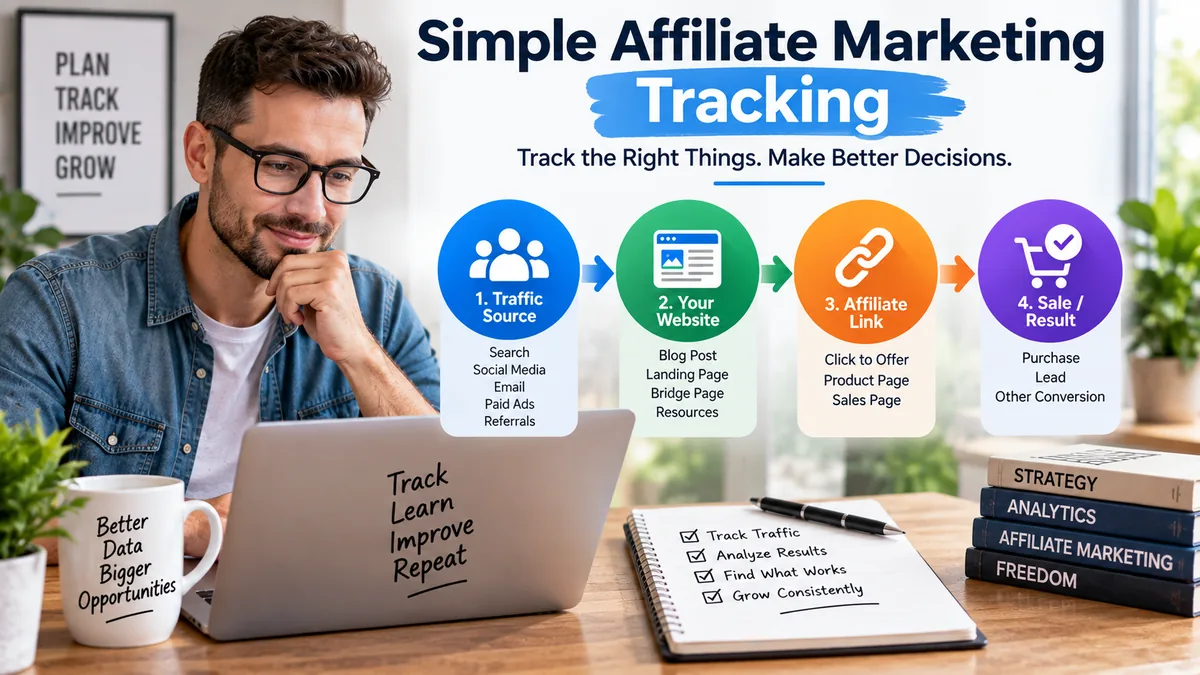
Affiliate tracking does not need to become a second job. This beginner-friendly guide shows how to connect traffic sources, website activity, affiliate clicks, and sales with a simple system that is easy to maintain.
Affiliate marketing becomes much easier to improve once you know where your traffic is coming from and what visitors do after they arrive.
The problem is that beginners often assume they need an expensive collection of dashboards, tracking platforms, pixels, integrations, and reports before they can understand what is happening.
They usually do not.
You can track affiliate marketing effectively with a much simpler system. At the beginning, your goal is not to capture every possible data point. Your goal is to answer a few useful questions consistently enough to make better decisions.
If you already have a website, an affiliate network account, and basic analytics, you may have most of what you need. That follows the same principle covered in The Simple Affiliate Marketing Tech Stack You Actually Need: add technology because it solves a real problem, not simply because another tool exists.
Tracking becomes confusing when you try to measure everything before deciding what you actually need to know.
A beginner might start with website analytics, then add a link tracker, heatmaps, conversion scripts, advertising pixels, custom dashboards, spreadsheets, and several different reporting systems.
Soon there are more dashboards than decisions.
A better approach is to think about the basic path a visitor takes through your business.
They discover your content or advertisement, visit one of your pages, click toward an offer, and may eventually buy.
That means your tracking system only needs to help you understand that journey.
For most beginner affiliate campaigns, start by answering four questions:
If your tracking can answer those questions, you already have enough information to spot many important problems and opportunities.
You can always add more detailed tracking later.
The first thing you need to identify is the traffic source.
Was the visitor from Google Search? Microsoft Ads? An email? Pinterest? YouTube? A referral from another website?
This is one reason beginners are usually better off concentrating on one traffic source at a time. When five traffic channels are being tested simultaneously, weak tracking becomes much harder to diagnose.
Google Analytics can use campaign parameters such as utm_source, utm_medium, and utm_campaign to help identify where campaign traffic originated and organize it in traffic-source reporting.
Google explains how this information is collected and reported in its official campaigns and traffic sources documentation.
For example, you might use labels such as:
utm_source=newsletterutm_medium=emailutm_campaign=beginner_affiliate_seriesThe specific names matter less than using a clear and consistent system.
If you label the same campaign differently every time you create a link, reviewing your results becomes harder. Pick a simple naming structure and continue using it.
Knowing that someone arrived is only the beginning.
You also want to understand whether the visitor moved farther through your system.
Depending on the page, the important action might be reading another article, joining your email list, clicking a call-to-action, visiting a review page, or clicking through to an affiliate offer.
This becomes especially useful when you use a bridge page between your traffic source and the affiliate offer.
Instead of thinking only in terms of traffic and sales, look at the steps in between.
Traffic source → article → bridge page → affiliate link → offer
If visitors reach your article but rarely continue to the bridge page, the issue may be your call-to-action or the match between the content and the next step.
If visitors reach the bridge page and click the affiliate link but sales remain weak, you have learned something different. The weak point may be farther down the funnel.
Tracking helps you locate the problem instead of guessing.
Your affiliate network should be an important source for determining whether an affiliate-referred transaction was credited to your account.
For example, ClickBank allows affiliates to use optional tracking information with affiliate tracking links. These parameters can help distinguish traffic sources, campaigns, advertisements, creatives, and other useful campaign details.
ClickBank explains the available options in its official Affiliate Tracking Parameters documentation.
You do not need to use every tracking parameter available.
A beginner may only need enough information to identify the traffic source and campaign. More detailed tracking can be added later when there is a practical reason to separate different ads, creatives, or audience segments.
ClickBank also provides transaction reporting that can include the tracking information associated with a qualifying transaction. You can learn more in ClickBank’s official Transaction Reporting documentation.
This distinction is important because your website analytics and affiliate network are doing different jobs.
Your website analytics helps you understand activity on property you control.
Your affiliate network helps show whether resulting transactions were attributed to your affiliate activity.
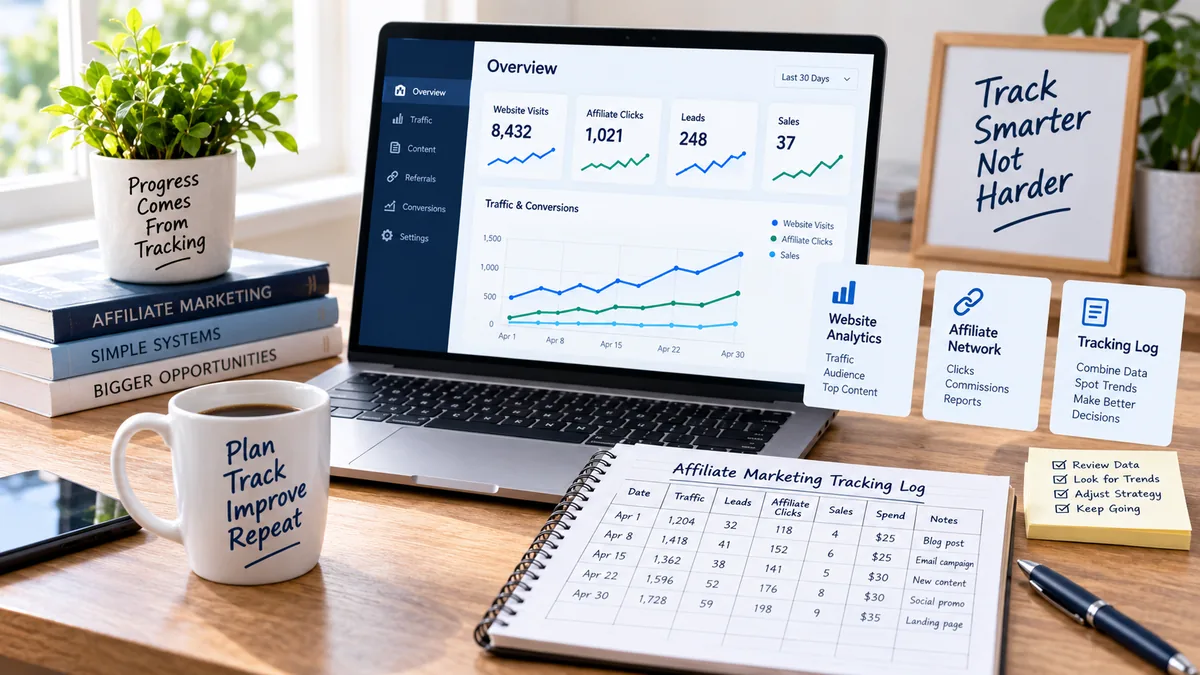
You do not need a complicated reporting system to start.
A basic spreadsheet can give you a useful high-level record of what you are testing.
For each campaign, you might record:
These numbers are only a hypothetical example.
The purpose of the spreadsheet is not to replace your advertising platform, analytics software, email service, or affiliate network.
It simply gives you one place to record the numbers that matter when you review a campaign.
Over time, patterns become much easier to see.
To track affiliate marketing without overcomplicating it, focus on the few numbers that help you understand what is happening at each stage of the funnel.
Traffic tells you whether people are reaching the page at all.
Leads tell you whether visitors are willing to join your owned audience when an email opt-in is part of the funnel.
Affiliate clicks tell you whether your content or bridge page is moving people toward the offer.
Sales or conversions tell you whether the affiliate network is reporting the final result you are trying to generate.
Advertising spend, when you use paid traffic, lets you compare your campaign activity with what that traffic cost.
Those numbers are already enough to answer many practical questions.
You do not need twenty-five different metrics simply because a dashboard makes them available.
One of the simplest tracking improvements is also one of the easiest to overlook.
Name your campaigns consistently.
Suppose you test two traffic sources for the same type of offer. A basic naming structure might look like:
search_beginner_offeremail_beginner_offerIf you later create another test, follow the same general pattern rather than inventing an entirely different naming system.
Consistency makes your reports easier to read and makes older campaign data much easier to understand months later.
It also supports a larger principle discussed in Affiliate Marketing Systems: Why Systems Beat More Courses: repeatable processes are usually more useful than repeatedly improvising the same task.
This rule can prevent a great deal of unnecessary complexity.
Before paying for or installing another tracking platform, ask yourself:
What question will this tool answer that I cannot answer now?
Maybe you eventually need more detailed cross-channel attribution.
Maybe you need server-to-server tracking.
Maybe you begin running enough paid advertising that more advanced conversion tracking becomes worthwhile.
Those can all be legitimate reasons to expand your system.
But the fact that another affiliate uses a particular tool is not enough by itself.
Start with the tracking already available through your website analytics, traffic platform, email system, and affiliate network. Add another layer only when your existing setup prevents you from answering an important question.
Collecting more information does not help if you never use it to make a decision.
Inconsistent naming makes historical comparisons harder than necessary.
An advertising platform can tell you about advertising activity, but your website analytics and affiliate network provide different parts of the visitor journey.
Different systems can record and attribute activity differently, so small discrepancies do not automatically mean something is broken.
A handful of clicks or one isolated sale can create a misleading impression. Tracking becomes more useful when it helps you observe patterns instead of reacting emotionally to every individual result.
A sale is important, but it is the end of several earlier steps.
Imagine that your campaign produces plenty of visitors but almost no affiliate clicks.
That tells you something.
If affiliate clicks are strong but the offer produces little response, that tells you something different.
If a landing page generates email subscribers even while immediate sales are weak, you may still be building an owned audience that you can continue communicating with later.
This is one reason understanding how affiliate marketing actually works is useful before trying to optimize individual statistics. The numbers make more sense when you understand the role each stage plays.

The purpose of tracking is not to create the most sophisticated dashboard.
It is to help you make better decisions.
To track affiliate marketing effectively, start by identifying where visitors came from, what page they reached, whether they took the next important action, and whether the affiliate network credited a conversion.
Keep your campaign names consistent. Record the important numbers. Review the funnel for weak points. Then add more advanced tracking only when your campaigns become complex enough to justify it.
A simple tracking system that you actually understand and use is far more valuable than an advanced system you rarely review.
If your marketing setup already feels overloaded with software, continue with The Simple Affiliate Marketing Tech Stack You Actually Need and simplify the rest of your tool stack the same way.
Subscribe to get the latest posts sent to your email.
If you found this guide helpful, please tap the Like button and share it with someone who could benefit. Every Like and Share helps more people discover Partner to Wealth.