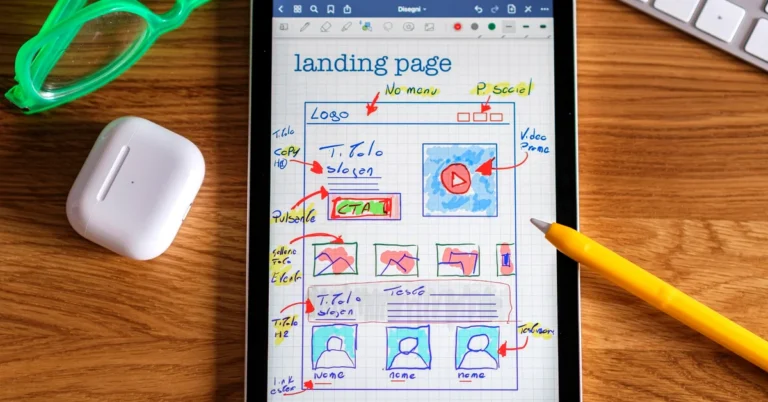
Compare OptimizePress Launch, Scale, and Elevate by what your affiliate blog actually needs. See which features matter, where the extra cost makes sense, and when you should keep your existing WordPress setup.
Comparing OptimizePress Launch vs Scale is not just a matter of choosing the cheaper or more expensive subscription. For an affiliate marketer who already runs a WordPress blog, the important question is whether the extra tools solve a problem that actually exists in the business.
Maybe you need one focused page for a free report. Maybe you want to connect several steps into a measurable funnel. Or perhaps you are starting to sell your own digital products and need to collect payments on your website. Those situations call for different capabilities, even if the same software company offers all of them.
This guide looks at the current OptimizePress plans from the perspective of a working affiliate website: what is included, what is not, which features matter, and when keeping your existing setup is the better choice.
Disclosure: This article contains affiliate links to OptimizePress. If you purchase through one of these links, Partner to Wealth may earn a commission at no additional cost to you. Our recommendations are based on practical use cases, not a promise that any software will generate sales.
If you operate one WordPress affiliate site and mainly want to build focused landing pages, Launch may be all you need. You get the visual OptimizeBuilder and a license for one site.
If you need a more extensive WordPress-based marketing system—with the OptimizeFunnels visual funnel builder, OptimizeCheckouts, membership or course tools, or licenses for several sites—Scale is the plan worth evaluating.
If you build websites for clients or need substantially more site licenses, Elevate is the higher-tier option. And if your current WordPress tools already build the pages you need, you may not need to buy OptimizePress yet.
That last possibility matters. The best software purchase is not always an upgrade.
OptimizePress updated its plan structure in 2026. According to the company’s official pricing page and plan documentation, the three primary subscriptions are Launch, Scale, and Elevate.
The prices below are the annual prices displayed on October 9, 2026. They exclude applicable tax and can change, so confirm the live checkout price before purchasing.
| Plan | Displayed annual price | Main capabilities and site allowance |
|---|---|---|
| Launch | $129/year | OptimizeBuilder for landing pages, sales pages, and website pages; one WordPress site license. |
| Scale | $199/year | Launch capabilities plus OptimizeFunnels, OptimizeCheckouts, OptimizeMentor, OptimizeUrgency, OptimizeFlow, and additional site allowances; five WordPress site licenses. |
| Elevate | $249/year | Scale capabilities, expanded template and agency-oriented allowances, client-site use subject to terms, and 25 WordPress site licenses. |
The displayed difference between Launch and Scale is $70 per year. That difference sounds modest, but the more useful question is what you will actually build with the added features. OptimizePress subscriptions renew annually unless cancelled; do not treat the introductory decision as a one-time purchase.
Also remember that these are WordPress software plans. You still need an appropriate WordPress website and hosting, and you may still pay separately for your email service, domain, or payment processing.
Launch is easiest to understand when you separate page building from running a complete sales system.
Consider an affiliate blog that publishes tutorials and comparisons. It sends interested readers to a free-report signup page and follows up through an email platform. The blogger wants to create an attractive, focused page without rebuilding the whole website. In that situation, a dedicated page builder may be useful, but a full checkout-and-membership suite could be unnecessary.
Suppose the goal is to offer a practical checklist in exchange for a voluntary email subscription. The page needs a clear headline, a description of the resource, a signup form, a privacy-conscious explanation of what subscribers will receive, and an appropriate next step.
Launch can provide the page-building environment. A connected email provider handles subscriber records and follow-up. OptimizePress has a documented AWeber integration, for example, but an AWeber account and its service are separate from the page-builder subscription.
An affiliate may want to explain who an offer is for, what problem it addresses, and what the visitor should evaluate before continuing to the merchant’s website. That kind of page needs clarity, not necessarily a full visual funnel system.
If you only need a few standalone campaign pages, Launch may meet the requirement. The affiliate merchant can continue handling its own sales page, payment processing, and fulfillment.
A webinar registration or resource request page can also be a straightforward landing-page project. The critical questions are whether you can connect the form to the correct list, deliver what was promised, and verify that the page works on mobile.
None of those outcomes requires the most expensive plan by default. They require a functioning process.
WordPress already has a block editor for creating and arranging page content. Themes and existing form tools can extend those capabilities.
If your current tools can create a clean opt-in page that loads well, submits correctly, and provides a good mobile experience, you may have no immediate reason to add a specialist builder. Our earlier guide, When Does an Affiliate Blog Need a Dedicated Landing Page Builder?, goes deeper into that decision.
Choosing Launch should be an answer to a specific page-building limitation—not a purchase made because a tool appears on somebody else’s recommended software list.
Scale is a broader set of WordPress marketing tools, not simply a more expensive version of the same landing-page editor. Its value depends on whether you will use the additional functions.
Many affiliate journeys include several steps: an article, a landing page, a thank-you page, email follow-up, and an offer. Those steps can exist without specialized visual funnel software. You can connect ordinary WordPress pages and an external email service.
The distinction is that Scale includes OptimizeFunnels, which is designed to help build and manage connected lead and sales funnels within the OptimizePress environment. That can become more valuable when you manage several active campaigns and want a clearer way to work with their steps.
However, having a visual funnel canvas does not prove the funnel will convert better. The offer, audience, message, follow-up, and measurement still matter.
This is one of the clearest reasons to examine Scale.
OptimizeCheckouts supports payment collection on a WordPress site, including features associated with order forms, payment plans, and other checkout flows. Those are relevant if you sell your own digital product, consulting service, course, or another offer you are entitled to fulfill.
But there is an important distinction for affiliates: when you send a reader to a ClickBank vendor or another merchant, the merchant normally handles that customer’s checkout. Buying OptimizeCheckouts does not give you control over the merchant’s checkout or mean you should collect payment for the merchant’s product yourself.
If your entire business is promoting other people’s products through tracked referral links, checkout software may provide little immediate value.
Scale also includes OptimizeMentor for creating course and membership experiences. That can be relevant if you are moving beyond affiliate commissions and developing content or products for paying members.
It is less relevant if your next six months are devoted to writing helpful articles, building an email list, and evaluating existing affiliate offers.
Launch allows one site, while Scale provides five. That difference can matter if you are legitimately operating multiple WordPress websites that would each benefit from OptimizePress.
Do not confuse owning several domains with needing OptimizePress on several sites. Count the actual WordPress installations where you plan to use the software. Confirm license terms for your particular setup before purchasing.

Elevate expands the site allowance to 25 and adds agency-oriented capabilities, including client-use rights subject to OptimizePress’s terms. It is intended for situations where you build or manage pages and funnels across a larger portfolio of sites, especially for clients.
That does not make Elevate the natural choice for somebody with ambitious plans to grow one affiliate blog. If you are not working on client sites and have no realistic need for the added allowance, its extra capacity may go unused.
A practical rule: choose a plan based on the sites and features you can identify now or reasonably expect to need soon—not a speculative future agency.
These are illustrative examples, not claims about actual earnings or customer outcomes.
A blogger publishes comparison articles and offers a free guide. They already have a WordPress site and an email service. Their main problem is designing a few focused opt-in and presell pages.
Likely fit: Launch, if the existing WordPress page tools are genuinely limiting. Otherwise, keep the current stack until a specific need develops.
Another site promotes external products but is preparing to sell its own workshop, collect payments, deliver protected lessons, and manage several campaign pages.
Likely fit: Scale deserves consideration because its checkout, funnel, and membership functions address tasks beyond ordinary affiliate linking. The owner should still compare those features with any checkout or course platform they already pay for.
A WordPress specialist builds landing pages and funnels for several paying clients. Their requirements include client-site permissions, a larger license allowance, and repeatable design workflows.
Likely fit: Elevate may be appropriate after checking the current agency terms and actual number of client websites.
The lesson is the same in each scenario: the right plan follows the workflow. It should not dictate a more complicated business model than you intended to build.
Annual subscription cost is visible. Operational cost can be easier to overlook.
Do not assume a new builder replaces every tool you already use. Write down each job in your marketing system and identify which product performs it. That prevents paying for two tools to solve the same problem without any clear advantage.
If those answers indicate that OptimizePress could solve a specific problem, the logical next step is to compare the live plan details rather than buy impulsively. You can review OptimizePress and its available plans through our affiliate link.
Whether you choose Launch or Scale, start with one carefully scoped page. Replacing every existing page immediately makes it harder to identify a real improvement—and harder to diagnose a problem.
Our WordPress plugin conflict troubleshooting guide explains why backups, staging, and controlled changes matter when an affiliate website relies on several plugins.

No. Scale supplies additional software capabilities, not guaranteed conversions or income. A clear offer, qualified traffic, useful content, honest recommendations, and reliable follow-up remain necessary regardless of your plan.
No. A funnel is a visitor journey, not necessarily one particular application. You can link ordinary WordPress pages, an opt-in form, an email service, and an external offer without OptimizeFunnels. Scale matters when you specifically want the additional OptimizePress funnel-management capabilities.
No. OptimizePress builds marketing pages and, depending on the plan, adds funnel and checkout features. An email marketing platform such as AWeber handles its own subscriber records and campaigns. The tools can work together, but purchasing OptimizePress does not automatically include an AWeber subscription.
Generally not if the affiliate simply links visitors to the vendor’s approved purchase flow. Checkout software becomes more relevant when you own the product or service being sold and are responsible for taking payments and fulfilling the purchase.
That can be a sensible approach. Choose the tools you need now, then examine the vendor’s current upgrade terms if your site count or requirements change. Do not assume a particular upgrade credit, refund, or prorated amount without checking your account’s terms.
For a WordPress affiliate marketer evaluating OptimizePress Launch vs Scale, I would start by identifying the smallest complete workflow that solves the problem.
If that workflow is one site’s opt-in pages, registration pages, or presell pages, Launch is the first plan I would examine. If it requires OptimizeFunnels, collecting payments for your own products, membership functionality, or several licenses, Scale becomes more compelling. Elevate belongs on the shortlist when legitimate client work or a substantially larger site allowance is part of the business.
And if the current WordPress setup is doing everything required, there is no need to create a software project just to justify a purchase. We cover the broader role of the tool in Why I Use OptimizePress for Affiliate Marketing Landing Pages.
For readers ready to compare the specific tools and license limits, see the current OptimizePress plans here. Verify the live pricing and terms, decide which functions you will use, and keep the rest of your marketing system as simple as possible.
Subscribe to get the latest posts sent to your email.
If you found this guide helpful, please tap the Like button and share it with someone who could benefit. Every Like and Share helps more people discover Partner to Wealth.