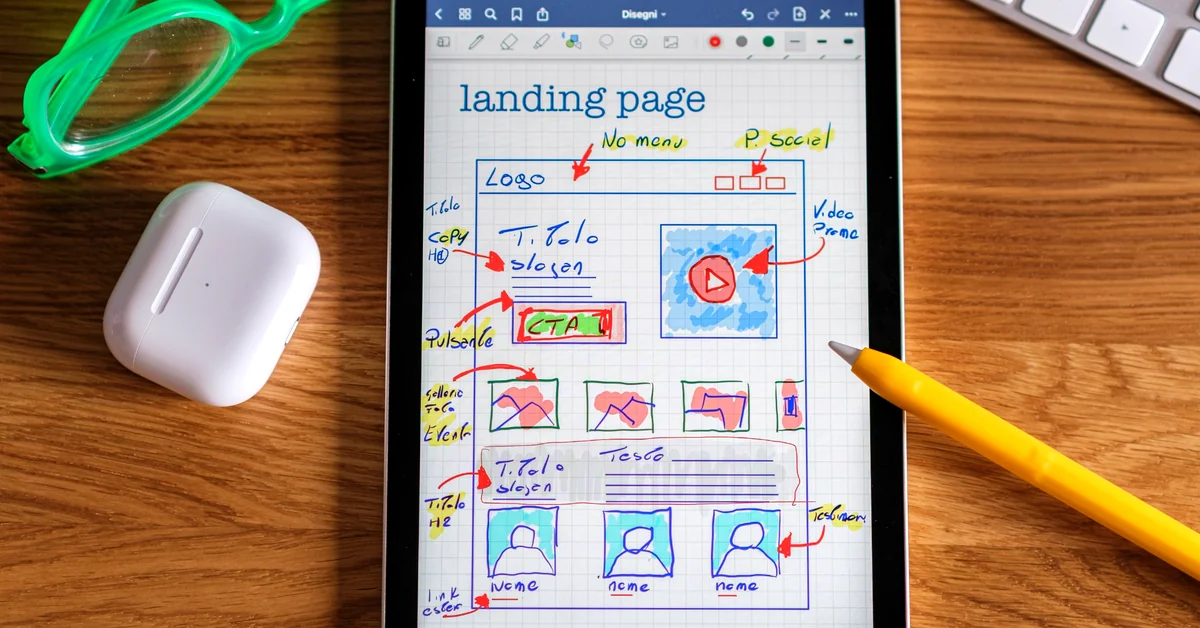
Do you need OptimizePress if your WordPress site already has a block editor? Compare the practical differences, costs, email integrations, and buying considerations before adding another tool.
WordPress already gives you a way to build pages. If you run an affiliate blog, you may also have a theme, a form plugin, and an email marketing service. So why would you pay for a separate landing page builder?
The honest answer is that you might not need one. OptimizePress vs WordPress blocks is not a contest between having a website and not having one: OptimizePress is a WordPress-based marketing page builder, while the WordPress block editor is already part of the publishing system. The decision is whether a more specialized page-building workflow would solve a problem you actually have.
This guide compares what each route can accomplish, what still needs to be connected, and how an affiliate publisher can make a buying decision without confusing a nicer page with a proven increase in conversions.
Affiliate disclosure: This article contains a tracked affiliate link to OptimizePress. Partner to Wealth may earn a commission if you make a qualifying purchase through that link. Our guidance is based on product documentation and practical buying criteria, not a claim that any tool guarantees traffic, subscribers, or sales.
An affiliate landing page is a focused destination built around one next step. That step might be downloading a free guide, registering for a webinar, joining an email list, or reading an independent product evaluation before visiting a vendor’s offer.
A landing page builder helps you arrange the headline, supporting explanation, proof where appropriate, images, buttons, forms, and mobile layout. But it does not automatically supply a compelling offer or an audience that wants it.
A complete lead-capture journey also needs several separate pieces:
A builder mainly affects the page-creation experience and, depending on the product and plan, some of the surrounding marketing features. If the email connection, permission language, or offer itself is weak, changing builders alone will not fix the funnel. For the larger structure, see our guide to building a simple affiliate marketing funnel.
The built-in WordPress block editor is capable of creating more than ordinary blog posts. You can combine headings, columns, images, buttons, groups, and other blocks to build a clear marketing page. WordPress block patterns can provide reusable starting layouts, while theme options can determine how much freedom you have over headers, sidebars, and the page canvas.
For example, a beginner can often assemble a simple landing page with:
WordPress also provides a landing-page tutorial using blocks. Its template instructions are specifically for block themes; the exact controls on a site using a different theme can vary.
Important distinction: The page editor does not, by itself, replace an email service. If you need subscribers added to a list or a follow-up campaign, you still need the appropriate form, integration, and consent process.
WordPress blocks may already be sufficient when your landing page is simple, your forms work, the design looks good on a phone, and you can test the complete visitor journey without repeatedly fighting the editor.
OptimizePress is a commercial WordPress tool focused on building marketing-oriented pages. Its OptimizeBuilder provides visual page editing and templates for uses such as opt-ins, lead magnets, webinars, and sales presentations. The vendor also offers additional funnel, checkout, and related tools, but the features included depend on the subscription plan.
According to OptimizePress’s official page-creation guide, a user can select a page template, create a page, and customize elements in its editor. That workflow can be attractive if you regularly build campaign-specific pages and want more marketing-focused starting points than your existing setup offers.
Potential advantages include:
None of these proves that an OptimizePress page will convert better than a well-built native WordPress page. The benefit is more defensibly described as a different building and maintenance workflow, with additional capabilities that may save time in the right use case.
| Decision factor | WordPress blocks | OptimizePress |
|---|---|---|
| Basic landing page | Possible with blocks, patterns, and suitable theme settings | Purpose-built landing-page templates and a separate visual builder |
| Starting cost | Editor is included with WordPress; hosting, theme, or form tools may still cost money | Additional paid subscription; check current renewal terms |
| Opt-in collection | Requires a suitable form and email integration | Offers opt-in elements and integrations; verify the chosen setup |
| Design workflow | Familiar blocks and site theme controls | Dedicated page-builder workflow with marketing templates |
| Multi-step funnels | Can connect pages and tools manually | Additional funnel tools may be available in qualifying plans |
| Maintenance | Manage your WordPress theme, blocks, and existing plugins | Add vendor updates, licensing, compatibility, and subscription review |
| Best starting point | One or two straightforward pages that already function well | Repeated campaign builds or a verified need for specialized features |
The fair comparison is not “free WordPress versus unlimited paid marketing power.” Both approaches depend on your hosting, forms, integrations, and the quality of the actual offer. Evaluate what you already pay for before assuming an additional product is the cheaper choice.

Your website has a working signup page, a confirmed email follow-up, and a download page. Visitors can understand the offer and complete the process on mobile.
Likely decision: Keep the existing setup for now. Improve the headline, instructions, loading experience, and relevant internal links before paying to rebuild a process that already works.
You want different pages for a beginner checklist, a webinar registration, and a narrowly targeted educational resource. Your current editor makes consistent layouts time-consuming, and you have identified specific limitations that templates and visual controls could solve.
Likely decision: A specialized builder deserves consideration. Compare how long pages take to build and revise, whether the exact form integration works, and how the finished pages behave on real phones.
You are no longer deciding only how to present one affiliate opt-in. You may need order pages, multiple funnel steps, protected course areas, or other features.
Likely decision: Investigate the relevant products and plan entitlements carefully. Do not assume a basic page-builder license includes every advanced feature. This is a separate purchasing question from whether a basic landing page should use WordPress blocks.
If your affiliate business uses AWeber for permission-based email follow-up, the form connection is more important than the visual appearance of the signup box. A landing page that collects an address but does not place the subscriber in the intended workflow is not finished.
OptimizePress documents a direct AWeber integration. Its guidance covers connecting the account and using an opt-in form element. The vendor’s custom HTML integration guidance also advises using the direct AWeber integration instead of a generic pasted HTML form integration.
Before replacing any working form, confirm:
Do not assume that switching builders transfers existing subscribers, repairs a misconfigured automation, or gives you permission to contact people who did not opt in to your list.
A useful buying question is: “Which recurring problem will this purchase solve, and how will I know it was worth the ongoing cost?” If you cannot answer that, postponing the purchase is reasonable.
That last point is easy to overlook. Buying more software does not automatically create a simpler marketing stack.
Product bundles change. OptimizePress’s September 2026 plan explanation describes Launch, Scale, and Elevate as annual subscription plans with different product and site allowances. Read the actual checkout terms instead of relying on a remembered sale price or assuming that every advertised feature is included in the lowest tier.
Use this short purchasing checklist:
If you have already decided that OptimizePress suits your workflow and only need help choosing between subscription tiers, read our separate OptimizePress Launch vs Scale comparison. That article answers a different question from this initial buy-or-wait decision.

Whether you stay with WordPress blocks or choose a paid page builder, run a controlled quality check rather than changing everything at once.
When testing email-based journeys, our affiliate email funnel testing guide covers the importance of checking the complete path rather than judging the landing page in isolation.
Remember that an affiliate vendor’s opt-in is not automatically a subscriber on your own email list. Your measurements should distinguish permissioned subscribers you actually received from outbound clicks and merchant-controlled conversions.
Stay with WordPress blocks if you need one or two clear landing pages, your current email forms and follow-ups function correctly, and the setup is easy enough to maintain. There is no obligation to buy a specialist tool merely because you publish affiliate content.
Consider OptimizePress if you are frequently building campaign-specific pages, you can identify limitations in your current workflow, and the available plan includes the exact functionality that would solve those limitations. Its template and page-building approach can be useful, but it should be assessed as a paid operational tool—not as a promise of more commissions.
If the latter description genuinely fits your needs, you can explore OptimizePress through Partner to Wealth (affiliate link). Review the current plan, license, support, and billing terms before making a purchase. If your existing tools already meet your needs, keep using them.
No. OptimizePress is built to work with WordPress. The relevant decision here is whether to use WordPress’s existing page editor or an additional WordPress-based builder for particular marketing pages.
No. You need a working page, an appropriate opt-in form, a correctly configured email service, and clear permission. Those pieces can be assembled with other WordPress tools. OptimizePress is one possible way to build and connect the page.
No. A builder can change how easily you create and refine a page. It cannot guarantee engaged traffic, relevant offers, permissioned subscribers, or sales. Judge the outcome through genuine visitor and business behavior, not templates or marketing claims alone.
OptimizePress says its builder works with appropriately coded WordPress themes. Compatibility, page templates, scripts, forms, and styling can still vary by installation. Test a new page without altering working sitewide layouts first.
The best affiliate landing page is the one that explains a useful offer, gives visitors an honest next step, handles their information responsibly, and works reliably on the devices they use.
WordPress blocks may already provide everything required. OptimizePress may make sense when a specialized design and marketing workflow delivers genuine, measurable value. Neither option replaces content quality, audience fit, accurate links, or thoughtful follow-up.
Start with the problem you need to solve. Preserve what already works. Then choose the least complicated toolset that can do the job well.
Subscribe to get the latest posts sent to your email.
If you found this guide helpful, please tap the Like button and share it with someone who could benefit. Every Like and Share helps more people discover Partner to Wealth.